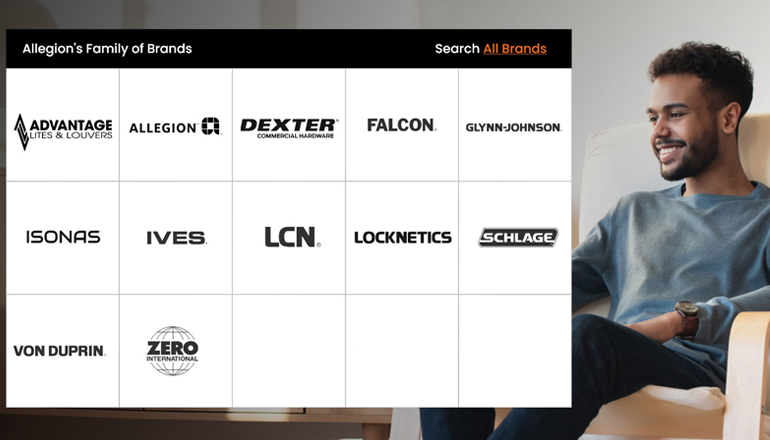
Allegion's Commercial Family of Brands










This unified mobile application is designed to simplify the commissioning, configuration, and ongoing maintenance of Allegion’s connected devices in the field.
Featuring an intuitive interface and structured workflows, the app enables users to complete installation and service tasks faster, with greater confidence, and with fewer errors.
By connecting to supported hardware via Bluetooth® Low Energy, users can easily perform setup, run diagnostics, and update firmware directly from their mobile device. Currently available for use on LCN Senior Swing 9500IQ and 2800IQ Series Auto Operators
Built to enhance overall productivity, Optimize delivers a modern, single-tool experience resulting in streamlined daily operations and an enhanced user experience.
Optimize is a free mobile app that is available for Apple and Android smart devices.
Experience the convenience of having essential workflows consolidated into a single, easy-to-use mobile application. This streamlined approach eliminates the need to juggle multiple tools, making your day-to-day tasks simpler and more efficient.
Enjoy a modern, familiar experience that reduces the learning curve and ensures reliable performance everywhere.
Take the hassle out of technical tasks. The app is specifically designed to reduce friction and save time during critical processes like device commissioning and configuration, system diagnostics, and firmware updates.
Optimize is engineered to help you work smarter. By streamlining complex tasks, you can get more done in less time.
Gain access to the right data and controls at the right time, keeping operations running smoothly and eliminating guesswork.
Optimize is not just a commissioning app. It enables ongoing management and operational visibility throughout the device lifecycle.
Built to grow, this unified approach ensures seamless, global support for Allegion’s rapidly expanding portfolio of connected devices. As new technologies emerge, Optimize is ready to support them.
Product Information
Technical Resources
Download the Optimize from


Organize devices across multiple sites and locations with a clear structure. Create and manage organizations, assign devices to sites, and support multi-site operations.

View and update device settings to match operational requirements. Adjust key parameters for supported devices1 to ensure accurate configuration.

Access device data, audit logs and event history to support troubleshooting and operational visibility. View active errors, monitor device status, and track key operational indicators.

Assign user roles with appropriate permissions. Invite team members, manage user access and support collaboration across organizations and sites.

Connect to devices using Bluetooth Low Energy for setup, configuration, and service activities. Configure Wi-Fi connectivity for supported devices2 during or after setup.

Verify automatic door operator performance by sending test commands and observing device behavior to confirm proper setup.

Add devices by scanning a QR code or connecting to nearby devices. The app supports structured setup and commissioning workflows, allowing technicians to configure devices directly in the field.

Update device firmware wirelessly via Bluetooth. The app checks compatibility, provides access to release notes, and supports over-the-air updates.

Calibrate automatic door operators using guided workflows with progress tracking and receive feedback on status and issues requiring attention.
1 Device settings capability will vary by device type.
2 Wi-Fi connectivity currently available only for Schlage XE360-WF wireless locks.

Use the Allegion Optimize™ mobile app to add, configure and maintain your LCN devices - helping you work smarter and more efficiently.

Explore our extensive Resources hub to find a complete collection of tools and information to assist and guide you along your journey.
Contact us today to talk about your project needs.
Ⓒ 2025 Allegion all rights reserved